A robot can lift a box and still fail the person who needs it. For disabled workers and users, access depends on the whole task: controls, alerts, safety stops, repair, and the space around the machine.
Accessibility will shape which robots work in homes, hospitals, schools, and workplaces. The useful question is simple: can a person with different movement, sight, hearing, or speech use the system safely?
Quick read
- Voice control helps, but it can fail in noise or around other speakers.
- A clear manual control can matter as much as an autonomous mode.
- Accessible design must cover setup, daily use, faults, and maintenance.
Start with the person and the task
Accessibility begins before a company chooses sensors or writes software. A team needs to watch the full job and list each action the person must take, from opening the control panel to responding to an alarm.
That list may include reaching a button, reading a screen, hearing a warning, holding a tool, or moving around a robot. Each action can block access for someone with limited reach, low vision, hearing loss, tremor, or reduced grip strength.
The fix may be small. A control panel with large text and strong contrast helps people read status messages. A raised button gives a person another way to stop a robot.
A spoken alert can work for someone who can't see a warning light, provided the robot also offers a visual and tactile signal.
One mode rarely fits every task. Voice commands suit some users, but background noise, speech differences, and privacy can make them unreliable. Touchscreens suit others, yet small controls create trouble for people with limited hand control.
Give people more than one way to act
A good interface lets a person start, pause, stop, and correct the robot through more than one input. That can mean physical buttons, a screen, voice commands, a phone, or a control device already used by the person.
The robot also needs to explain its state. A short message such as “arm blocked” gives more help than a red light with no detail. A person should know whether the robot is moving, waiting for input, charging, or stopped by a safety system.
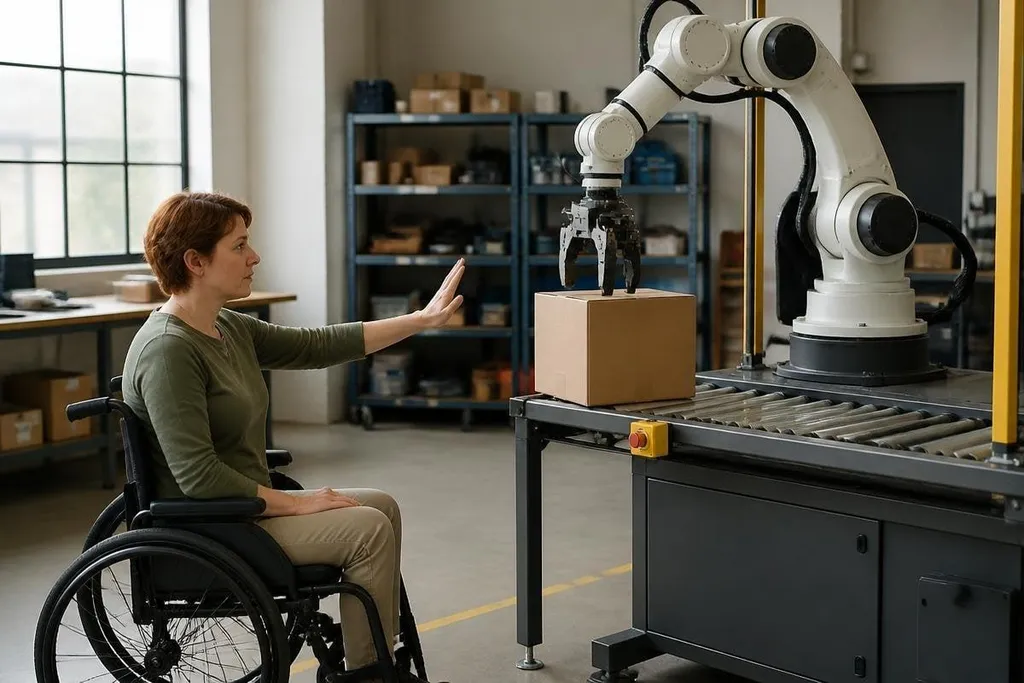
This matters during faults. If a robot stops beside a wheelchair, the user needs a clear way to call for help or move the machine. If an alarm sounds, captions and visible signs can carry the same information for a deaf user.
A robot’s handoff to a person should show what the user could see, hear, and do before help arrived. Reporting from Robot24 can tie that handoff to the robot, site, and fault, so accessibility claims face a real test. The next step is telling the user when control has changed.
Autonomy still needs a clear handoff
An autonomous robot can handle a task without constant control. That reduces work for some people, but it also creates a new need: the robot must say when it needs a person.
The handoff should be easy to spot and easy to complete. A user may need to approve a route, confirm an object, or clear an unsafe area. The system should give enough time, repeat the request through the user’s chosen channel, and show what will happen after the decision.
The robot also needs a safe manual mode. A person who cannot use a small joystick may need a larger control, slower motion, or help from an assistant. Adjustable speed matters because a fast movement can reduce control for someone with limited reaction time.
Accessibility has a practical limit: the robot can't solve every barrier through software. Door width, floor height, lighting, noise, charging access, and the position of an emergency stop all affect use.
A buying checklist for robotics teams
Use this list before a pilot, purchase, or public demo:
- Map the task: record every control, alert, reach point, and walking path.
- Test several inputs: check physical controls, voice, touch, and remote access where the task needs them.
- Check the fault state: stop the robot, trigger an alarm, and see whether the user can understand and recover from it.
- Watch the environment: test noise, glare, low light, tight spaces, ramps, and floor changes.
- Include disabled users: pay people with relevant disabilities to test the full task, not a short demo.
The last point changes the quality of the evidence. A robot may look easy to use in a clean room, yet fail when a user must charge it, clear a jam, or read a warning under pressure.
I'd reject any accessibility claim that rests on a voice command demo alone. The real test is the complete job, including the moment the robot stops working.
That test should happen before purchase and again after deployment, because a robot becomes accessible through its controls, surroundings, support process, and the people allowed to shape its design.